Showing posts with label Laptop. Show all posts

Macbook Pro Disassembled into a Portrait of Steve Jobs


Steve Jobs has passed.  It’s an unfortunate event to say the least, but the man led a life filled with passion and drive to produce technology like no other person.  To commemorate his passing, the folks at Mint Digital disassembled this Macbook Pro and converted it into a portrait of the man behind the Apple computer, iPhone, iPod and iPad.
12:06 AM | 0 comments | Read More

Samsung Series 9 Laptop Price Announced


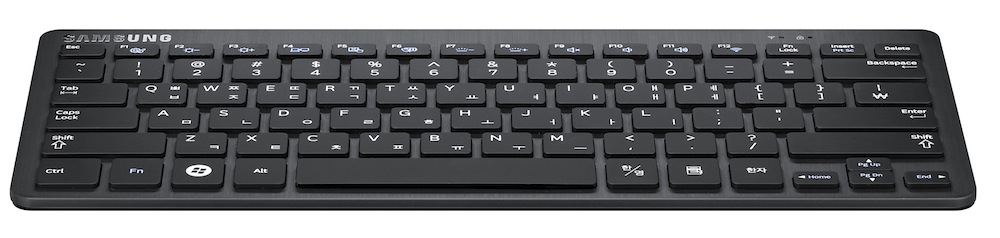
When Samsung’s Series 9 laptop hit the showroom floor at CES we couldn’t help but drool with desire.  However, and as we suspected there is a catch to its opulent good lucks.  What is it you ask?  The price, which is now starting at $1,599 from retailer J&R.  But despite that bad news, at least, and finally, the laptop will be available for purchase.  

So what will you get for that kind of cash?  It will ship with an Intel Core i5-2537M Processor, Windows 7 Home Premium 64-bit, 128GB SSD, 1.3MP webcam, a 13.3-inch LED HD display, Intel HD GT2 graphics, 4GB of RAM, WiFi b/g/n, Bluetooth 3.0, HDMI port, microSD card slot, 3x USB ports, 6-cell battery and Samsung’s Duralumin design.  Yup, all this is packed inside a 2.88lb, 12.9″ (W) x 8.9″ (D) x 0.64″ (H) machine. 

For some perspective the top end Macbook Air sells for $1,599, though it only includes an Intel Core 2 Duo processor.
10:41 PM | 0 comments | Read More

Samsung Series 7 Touchscreen All-in-one Computer


If Sammy’s 13.3-inch Series 9 laptop is a bit too rich (and large) for your blood, then perhaps you’d prefer their now officially announced 11.6-inch version.

It will cost $1,199.99 ($1,109 at Sears), which is 400 smackers cheaper than its larger brethren. But with that price cut comes some caveats, such as a smaller screen and storage capacity of 64GB.  But that’s 64GB of solid state goodness, which means its faster and more reliable than its spinning counter part, but 64GB is 64GB.

In terms of specs you can expect:
  • Intel Core i3 Processor 380UM
  • 11.6-inch LED display
  • Intel HD Graphics 3000
  • 2GB of DDR3 RAM
  • 64GB SSD storage
  • 1.3 megapixel camera
  • WiFi b/g/n
  • Wimax
  • Bluetooth 3.0
  • HDMI input
  • 3x USB ports
  • microSD card slot
  • 6-cell battery
  • 11.7″ (W) x 7.8″ (D) x 0.62″~0.65″ (H)
  • 2.31lbs w/ standard battery
10:38 PM | 0 comments | Read More

Griffin Multidock Charges Up to 30 iPads


Chances are the average household has no problem charging, two to three iPad simultaneously.  But if you’ve got a squad of nerds at your disposal, such as an IT department or mobile technicians, then charging all those Apple tablet devices is a process in upon itself.  Fold syncing into the mix, you know, to make sure they have all the same apps for maximum work flow and compatibility, and you’ve got a full on geek headache.

The Griffin Multidock can sync and charge up to 10 iPads simultaneously.  A set of LED lights indicate the charge status and each bay will shut down independently once the iPad is fully charged.  A single USB connection allows you to administer their contents, such as apps, media and settings.

If 10 isn’t enough, you connect up to 3 bays, allowing you to charge and sync a total of 30 iPads, all of which can be securely outfitted with one of Griffin’s cases.

The only problem?  Each bay costs $699.99.  But you can buy more or less depending your needs.
10:33 PM | 0 comments | Read More

iWood Laptop


Well isn’t this adorable.  The iWood – stop, we know what you’re thinking – is a wood laptop, but instead of an operating system, battery, processor, keyboard and screen, it rocks a good old chalk board.  Perfect if you don’t want your kids to get sucked into the world of Club Penguin and you still wanna promote their inner creativity.  It’s also a great preventative measure to ensure that your iPad lasts longer than 3 months, if you catch our drift.

The iWood’s trackpad serves as a storage area for your kid’s chalk, and the keyboard, in addition to the screen, have been replaced with a chalk board finish, allowing your kid to dream up the next great laptop.  The screen, if you will, folds down, though we’re pretty sure those hinges are Jon Ives certified.

The iWood can be purchase for about $55.
7:28 PM | 0 comments | Read More

Crimson Alliance Review

Diablo 2 was one of those games I spent so much time on as a youth, that it’ll forever be burned into me. That’s also partly why I rarely play RPGs anymore. As we get older, who has the time? But that format and style of play has kept players enchanted to this day. Now picture the guys who make DLC map packs creating an Xbox Live Arcade RPG with the same basic design.


Welcome to Crimson Alliance.

Crimson Alliance (800 MS Points, 1200 for access to all three characters) looks and feels just like many top-down RPGs while maintaining the simplicity so desired by console players. Featuring three characters (assassin, mercenary and wizard), players journey through a city long since left for dead and embark on an accidental mission while on their way to earn some moolah from some local royalty. With 18 total levels to play through, the short 4-hour campaign isn’t the kind to just leave alone after one playthrough. No, you’ll be begging for more.


Developer Certain Affinity, known best for their work on major franchises like Halo, Call of Duty and Left 4 Dead, made sure that players wouldn’t be satisfied with a single go through the game. That’s why they’ve included three characters that are vastly different from one another, and a cooperative play style that allows for a fun single-player experience, but is clearly made for three people to embark on the true quest. Every level has areas only certain characters can unlock and puzzles that require at least two players.


The real trick behind Crimson Alliance’s multiplayer is that it isn’t required…up to a point. For the first half of the game, an individual can solve simple two-player problems alone with a little creativity, and combat never requires more than one badass, but at some point midway through the campaign a team becomes a requirement for fully unlocking levels. Like the developer is telling players “ok, you’re smart…now get some friends and have even more fun. This clever method doesn’t force players to find others to play with, it gently nudges them towards the idea to make the game more easily accessible.


Even with a throwaway plot, Crimson Alliance is all about massive skirmishes, taking down evil hordes, and collecting as much loot as possible to find better weapons, armor, and equipment. These three staples of the game support character attacks and health points, and any receivable can be found either in one of the game’s three major storefronts or hidden somewhere in a chest in the game. Items are collectable, but can’t be sold, so everything you purchase has to be hard earned.


In this way the game is very similar to Castle Crashers, except with grown-up art and with significantly less content. There aren’t nearly as many levels or weapons, nor is it as complex with alternate worlds for difficulty. However, this action-RPG is a grind in the greatest sense. It wasn’t until I saw my self-inflicted deadline looming that I realized I was playing the same levels again just to get that really expensive armor and weapon.


At first I was very critical of the game’s pricing scheme. 800 Microsoft points ($10) for the game with one character, and an additional 400 points to unlock two others. Why the hell wouldn’t I want access to all three characters? The answer is simple: starting a new character is starting from scratch, and while some players are completionists, others just want to have a good time until the next game comes along. For the latter, there’s a lower price. This pricing doesn’t punish the hardcore gamer, it opens the entry point for more casual or unsure players.


Suffice it to say, after playing through the game as the wizard, I wasn’t interested in starting over as the mercenary or assassin. Each character has something unique, but specialty only matters when playing with friends. I’ve already invested so much time into my wizard that I won’t be using my assassin or mercenary for online play, nor do I have any real incentive to. Except – and this is where Certain Affinity screwed the pooch – if I want to earn all of the achievements. Achievement whores, you’re going to have to pay to get the full 200 achievement points (or, as someone from Certain Affinity [presumably but accurately] pointed out, players can just play through the trial level for free with all three characters to earn all achievements).


My bigger concern is the difficulty, or lack thereof. There are five difficulty settings – easy, normal, hard, immortal, and RIDONKULOUS – and after playing through the game on normal, I was able to switch to ridonkulous without a hitch. Enemies don’t get smarter or faster. They just inflict more damage. What would have previously cost half a heart could now cost three, and multiple hits at once can end the game obnoxiously fast. Worse yet, replaying levels on harder difficulties doesn’t unlock new items better suited for the harder level. All upping the difficulty does is earn more points and make enemies harder. It doesn’t actually make the game more difficult.


There’s nothing inherently new about Crimson Alliance. Instead, it’s a delicious blend of different action RPGs, fresh for Xbox 360 owners to sink their teeth into. The 800 point starting price feels a bit steep (making the 1200 point full purchase even harder to stomach), especially considering the lack of difficulty and leveling, there’s little incentive to want to play more, to want to explore levels more than once. It’s fun while it lasts, and fun again when playing with a friend or two, but eventually the grind is done and we have time well wasted.
3:23 PM | 0 comments | Read More

Smartfish Whirl Mini Laser Notebook Mouse Review

Today I’m going to talk about the little brother to the mouse I reviewed yesterday. The Smartfish Whirl Mini is supposed to be perfect for laptop users, and just as effective as the Smartfish Whirl Desktop version for keeping your hand and wrist straight while using it. So how well does it hold up compared to it’s bigger brother?


First things first:  the design of the Smartfish Whirl Mini Laser Notebook Mouse is pretty much the same as the larger version, with a few notable differences.  The main difference is the color scheme; no longer just boring and cheap glossy black plastic, the Smartfish Whirl Mini sports a very nice grey (or other color – they have several to choose from) plastic middle (the plastic feels more heavy duty than on the desktop version as well) and it also picks up a black rubberized piece on each of the sides.  These black pieces help to make sure the Whirl Mini doesn’t accidentally slip out of your hand, and gives you something with a slight texture to grip.
Another difference is the DPI settings – while the desktop model could go as high as 1600 DPI and as low as 400 DPI, the Whirl Mini is locked in at 800 DPI.  I don’t understand why the ability to change the settings was removed from the Whirl Mini, but it is what it is.  800 is respectable when dealing with laptop mice, but it surely isn’t the cream of the crop.

The Whirl Mini has no advanced features you might like to see either (just like the larger desktop version) – no web buttons, no zoom buttons, etc.  Just the standard two face buttons, and the scroll wheel.  It was a problem with the larger version, and continues to be a problem here as well.

The problems that are seen throughout the Whirl line are really a shame for the Whirl Mini.  It’s by far the better of the two mice in terms of comfort, feel, and design.  With other laptop mice I find myself using the touch pad still more than I do the mouse, but with the Whirl Mini I was actually using the mouse exclusively.  Since I sit with my laptop on my lap when I use it, my hand is usually lower to begin with than if I was on my desktop.  What that meant to me, was that the Whirl Mini really felt natural in my hand.
Another nice thing is that it’s a LOT more portable than it’s desktop counterpart.  It’s about three quarters of the overall size of the desktop version, but only a little over half of the height.  The ErgoMotion pivot point has a much lower profile than the desktop model, which makes it seem a lot less likely to snap off.  While the wireless feature is also essentially the same between the desktop version and the Whirl Mini, the dongle on the Mini is a little bit smaller, and sits almost flush with the side of my laptop, meaning it’s not uncomfortable when it hits my leg.

While I’m finding myself enjoying the use of the Smartfish Whirl Mini, I still can’t justify giving it a score higher than four start out of five.  Yes it’s comfortable, and yes it might be improving the circulation in my hand, but the fact that it still has no advanced features that are standard at other mice with the same price point is a deal breaker for me.  Couple that with the fact that they removed the ability to change the DPI, and four is generous.  Don’t get me wrong, if you really want an ergonomic mouse for your laptop, this is a good choice – there just might be better.
Pros:
  • Compact design
  • The cheap and ugly look of the desktop version has been fixed
  • Very comfortable to use
Cons:
  • Removing the ability to change the DPI was not smart
  • No advanced features to speak of
  • Might be too small if you have larger hands
You can pick up the Smartfish Whirl Mini Laser Notebook Mouse from Amazon for $37.01
3:19 PM | 0 comments | Read More

Samsung Series 7 Slate PC, Price and Launch Date

The inherent problem with most tablet computers is that they’re not a practical replacement to a laptop.  More often than not, they are infused with an underpowered processor to conserve on battery life and lack a full operating system negating it from becoming an everyday work horse.


Samsung thinks they’ve got the answer to the above problem and it’s arriving October 2nd.  It’s called the Series 7 Slate PC.  Samsung’s newest tablets is a fair bit thicker than Apple’s iPad, measuring .5-inches, but inside is a full blown computer minus a keyboard.    There are up to 4 configurations to choose from, but all models with include Intel’s Core i5 processor.

Much likes the Series 9 laptop, the Series 7 Slate will include an 11.6-inch screen, though this computer sports a capacitive version with a 1366×768 resolution and a 400 nit brightness.  Customers can choose between Windows Home Premium or Professional 64 depending on their needs.  There is also 4GB of DDR3 RAM, Intel Graphics HD 3000 and up to 128GB of solid state storage.
 

The Slate 7 weighs a tad over 2lbs (2.06 to be exact), but that doesn’t mean they’ve skimped on the battery.  It can achieve up to 7 hours of run time and can be recharged up to 1500 times before losing its zeal for life.  However, Samsung points out that you’ll probably need to shut down a number of applications and perhaps even disable the WiFi or WiMax connections.


Some other notable features include a forward facing 2 megapixel camera and a rear facing 3 megapixel shooter.  There is even a USB port, HSPA connectivity, a wake up time of 2-3 seconds and an optional Bluetooth keyboard and dock.

The Samsung Series Slate 7 PC will start at $1,099.
3:07 PM | 0 comments | Read More

Actor Notebook Case

If’ you’ve made an investment into one of Apple’s Macbook Pros then you’re probably relatively cognizant of how you dress and what bag you tote your precious laptop in.  Last we saw, the Bamboo Blackbox Cases were the answer to our needs.  But a new contender has emerged, though it appears to be largely conceptual – at least for now: the “Actor” notebook case.


To a large degree it’s a wood suitcase.  When and if it becomes available, it will accomodate up to a 17-inch laptop, which they say can also hold a power supply and mouse.  The inside is lined with felt to protect your laptop from sudden jolts as well as scratches.  To access the case’s interior, there is a unique hinged opening that fastens closed using a thumb screw or lock.

Though no specs have been provided on an official level, the pictures seemed to indicate that they do have the Apple consumer in mind.  In other words, this case won’t hold one of those fatty laptops.

The “Actor” notebook case is designed by Athanasios Babalis and Christina Skouloudi.  Their work will be unveiled at London Design Week 2011.
3:00 PM | 0 comments | Read More

ShareThis